Create User Accounts
Objectives
In this lab, you will learn how to:
-
Setup a Stripe webhook
-
Create a serverless function for the webhook
-
Create user accounts
Creating a User Account
The idea here is when a user subscribes, we’ll get the user details from Stripe and create an account for the user. We’ll create a webhook that Stripe will call on a successful subscription to achieve this. First, run the following command and follow the prompt.
amplify add api
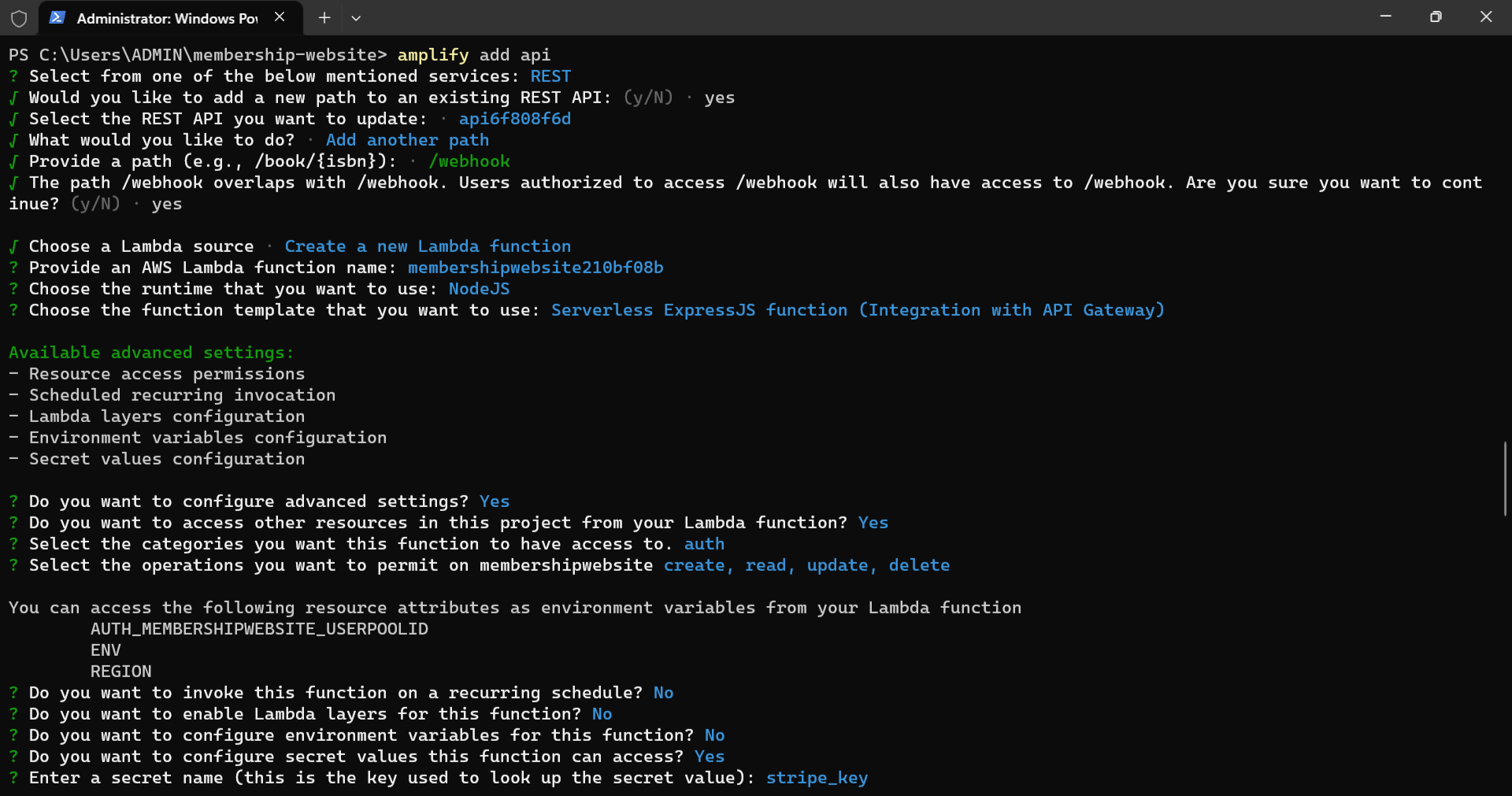
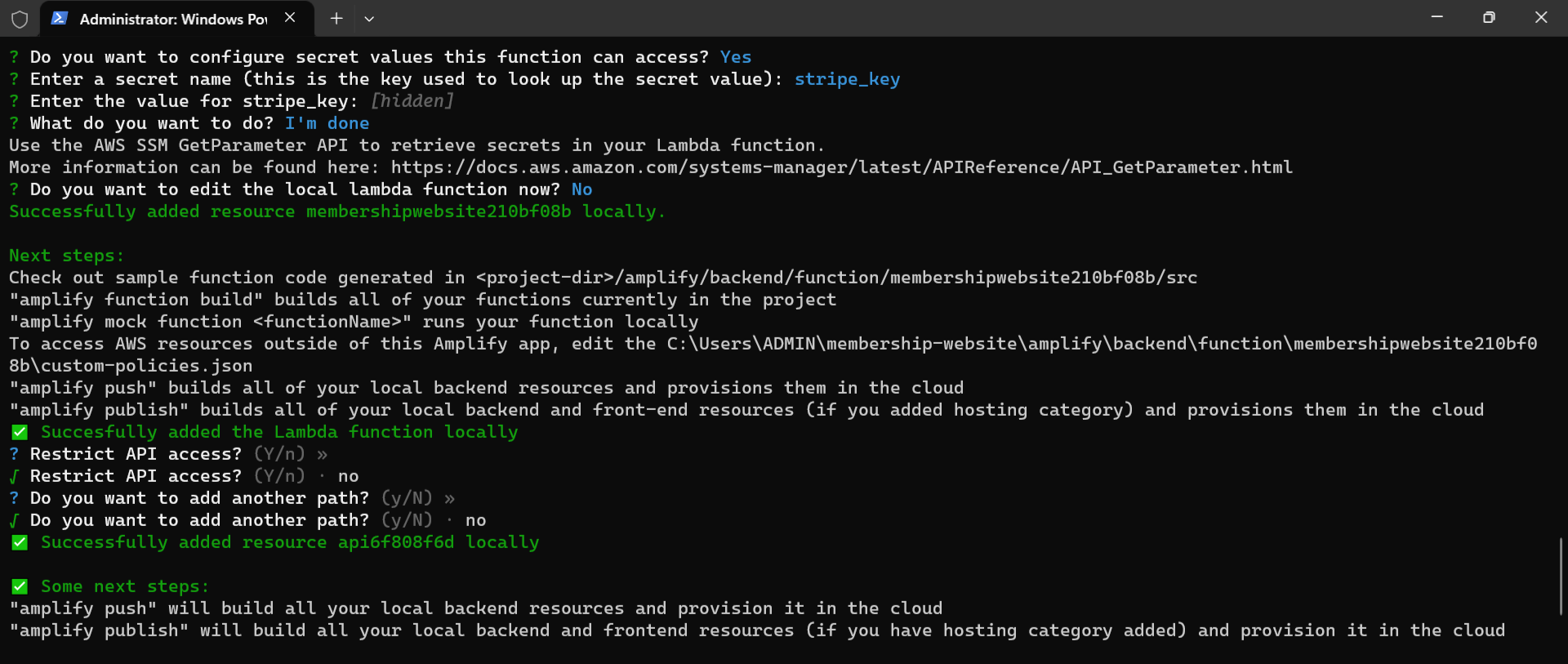
Choose the following options to complete the process:
Next, navigate into the membershipwebsite5dcac801 file we created above with the following command:
cd amplify/backend/function/membershipwebsite5dcac801/src

Now, install the aws-sdk and Stripe with the command below:
npm install aws-sdk stripe

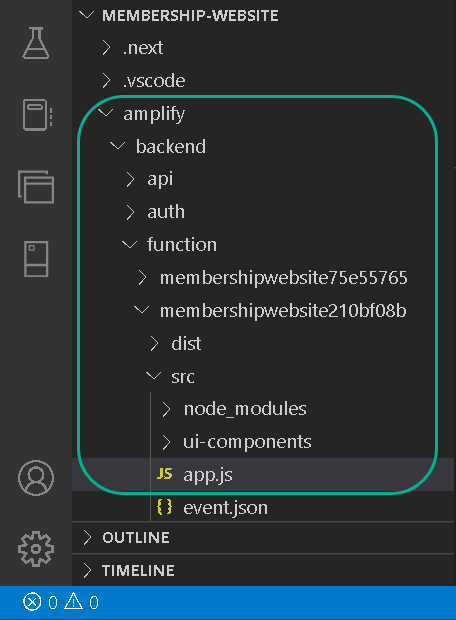
Next, navigate into this amplify/backend/function/membershipwebsite5dcac801/src directory and update the app.js file with the following snippets:
const express = require("express");
const bodyParser = require("body-parser");
const awsServerlessExpressMiddleware = require("aws-serverless-express/middleware");
const aws = require("aws-sdk");
// declare a new express app
const app = express();
app.use(
  bodyParser.json({
    verify: function (res, req, buf) {
      req.rawBody = buf.toString();
    },
  })
);
app.use(awsServerlessExpressMiddleware.eventContext());
// Enable CORS for all methods
app.use(function (req, res, next) {
  res.header("Access-Control-Allow-Origin", "*");
  res.header("Access-Control-Allow-Headers", "*");
  next();
});
const getStripeKey = async () => {
  const { Parameters } = await new aws.SSM()
    .getParameters({
      Names: ["stripe_key"].map((secretName) => process.env[secretName]),
      WithDecryption: true,
    })
    .promise();
  return Parameters[0].Value;
};
  // post method
app.post("/webhook", async function (req, res) {
  const stripeKey = await getStripeKey();
  const stripe = require("stripe")(stripeKey);
  const customer = await stripe.customers.retrieve(
    req.body.data.object.customer
  );
  const userEmail = customer.email;
  const cognito = new aws.CognitoIdentityServiceProvider({
    apiVersion: "2016-04-18",
  });
  cognito.adminCreateUser(
    {
      UserPoolId: process.env.AUTH_MEMBERSHIPWEBSITE_USERPOOLID,
      Username: userEmail,
      DesiredDeliveryMediums: ["EMAIL"],
      UserAttributes: [
        {
          Name: "email",
          Value: userEmail,
        },
      ],
      ValidationData: [
        {
          Name: "email",
          Value: userEmail,
        },
      ],
    },
    function (err, data) {
      if (err) {
        console.log(err);
      } else {
        console.log(data);
      }
    }
  );
});
app.listen(3000, function () {
  console.log("App started");
});
module.exports = app;
Most snippets above were generated when we followed the amplify add api command prompts, and we added the following:
-
Imported the aws-sdk using the require function
-
Added the verify option to the bodyParser function and set it to an anonymous function.
-
Implemented the post route and did the following:
-
Created the stripeKey constant and set to the getStripeKey() function.
-
Imported stripe using the Node.js require function and added the stripeKey.
-
Retrieved the customer detail using the stripe instance and set the userEmail to customer email. cognito, called the adminCreateUser() function, and created the user.
-
We passed an anonymous function as a second parameter to the route.
-
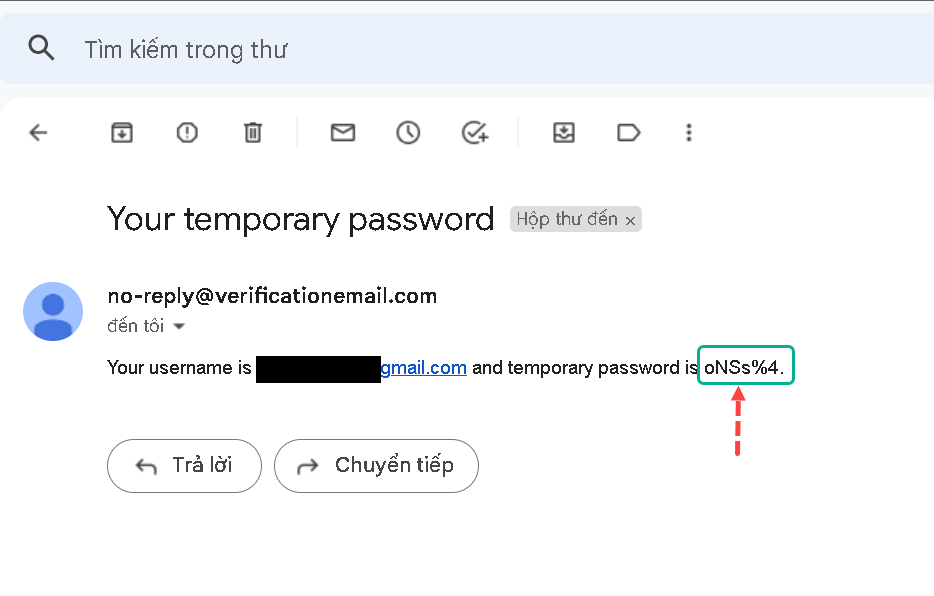
When a user subscribes again, we’ll get an email with the user email as username and a generated temporal password. Also, if we inspect the Stripe webhook, we will see the user details.
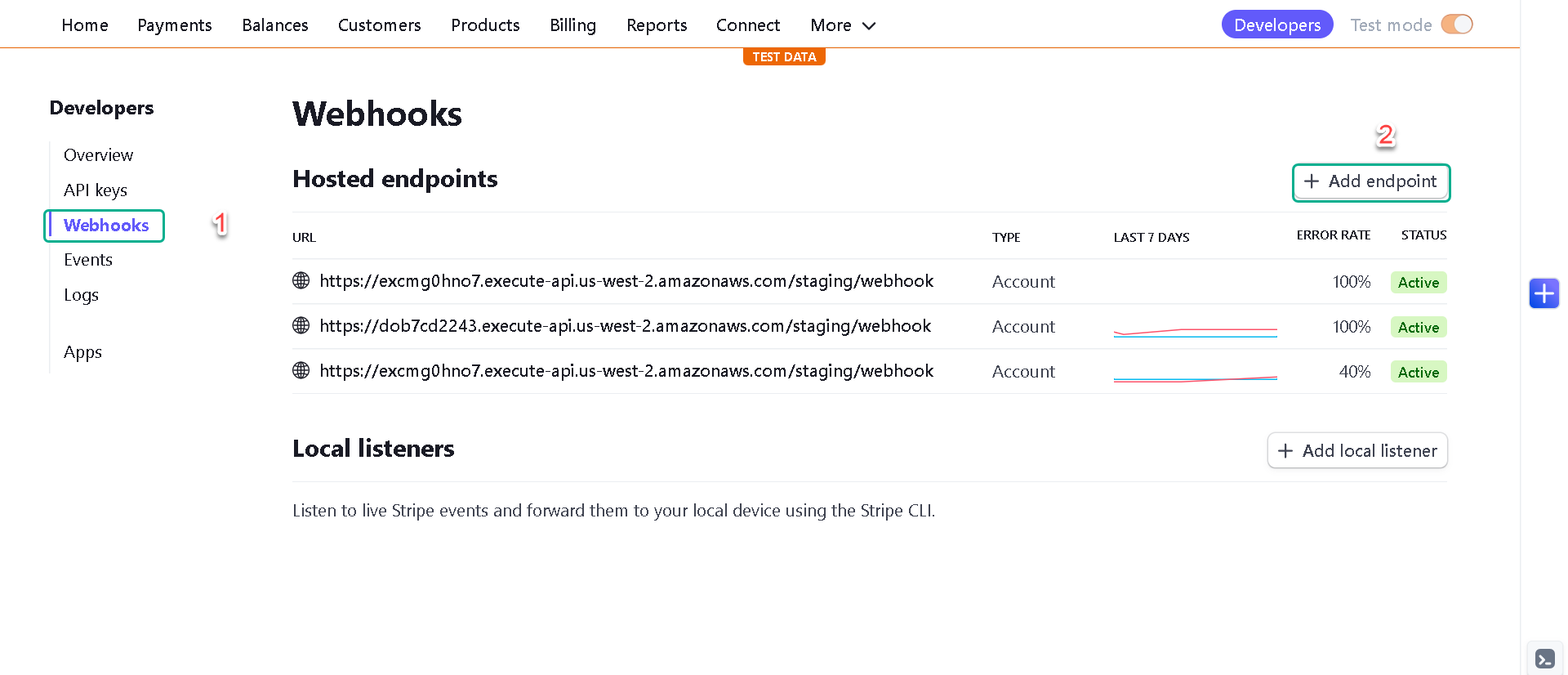
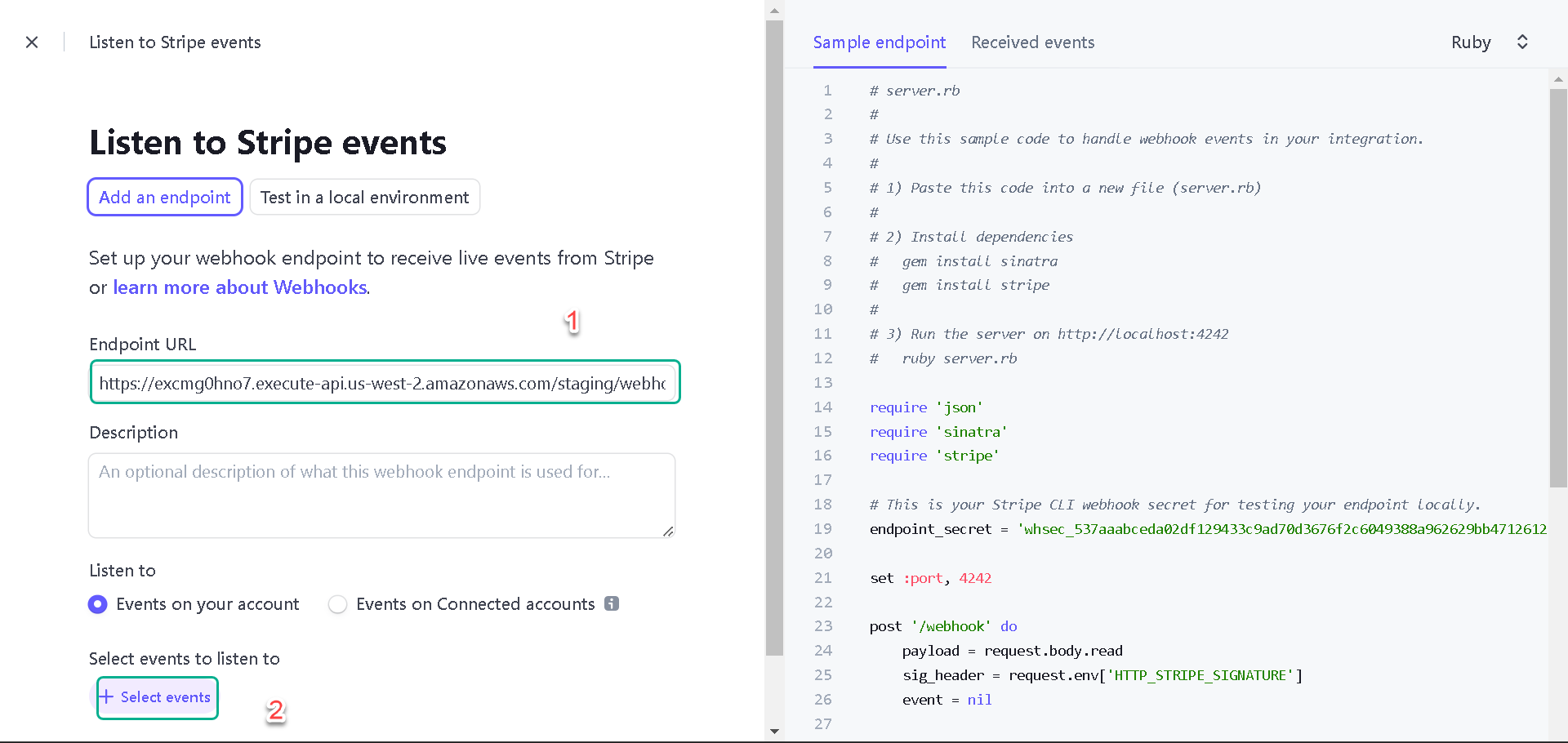
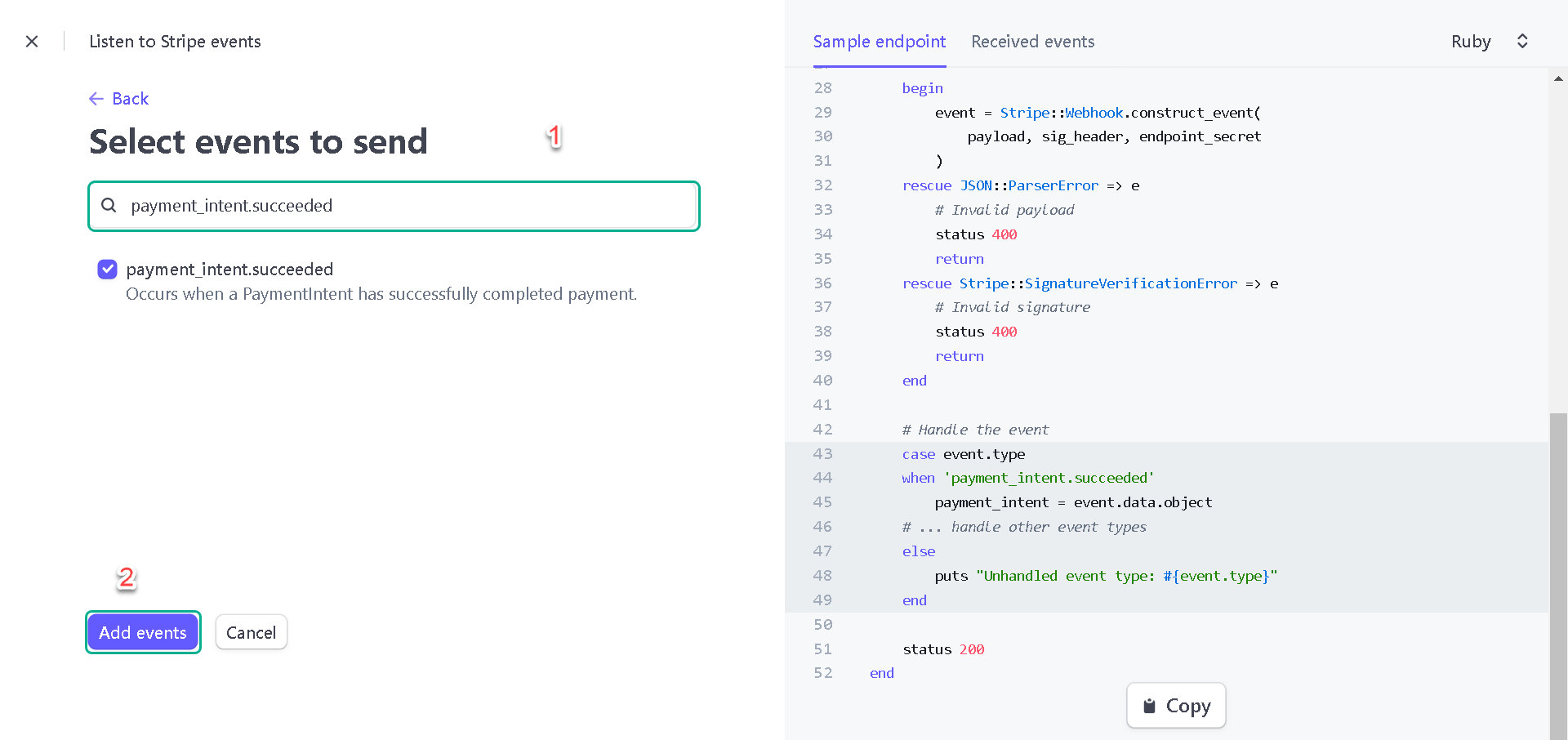
If successfully, we will see the email
What’s Next?
In the next lesson, you’ll learn how to protect the website from unauthorized customers.